












The trading market is a place full of unexpected fluctuations. Just a little mistake or negligence, you may miss the opportunity to make a profit or even lose money when you encounter a situation where MetaTrader runs slowly or freezes, features such as sudden stop orders cannot work, causing your trading process to be interrupted? How can I speed up MetaTrader performance? Don’t worry, this article will help you find the cause and provide effective solutions!
Understand the Metatrader Platform

MetaTrader is a powerful tool that helps Forex traders make better trading decisions. MetaTrader 4 and MetaTrader 5 are the two most popular trading platforms today. Both provide all the necessary tools for you to analyze the market and execute transactions quickly and even automate your trading. However, MetaTrader 5 is considered a newer version, allowing professional traders to:
- Monitor price fluctuations, draw various types of charts (candlesticks, lines, Heikin Ashi, Renko) and apply technical analysis tools to identify trading opportunities.
- Place stop-loss, take-profit and other complex orders easily. In particular, with expert advisors (EA), you can create automated trading systems, helping you save time and increase efficiency.
- Limit risk with stop-loss orders and closely monitor trading performance through detailed trading history.
- Provides a great learning environment with lots of tutorials and a vibrant user community.
See more:
- What is MT5 software? Basic steps using MT5 you need to know
- Comparing MT5 vs cTrader platform – Which platform is better?
- MT5 demo account explained – Opening a Free MT5 Demo Account
Some Popular Reason Cause MetaTrader performance delay
MetaTrader, while a powerful trading platform, can sometimes experience freezing or interruptions, disrupting your trading activities. These disruptions can be caused by a variety of factors, both direct and indirect. Here are some of the most common culprits. Here are some of the most common causes of this situation:
Unstable network connection
An unstable or weak internet connection can significantly impact the performance of MetaTrader. This is particularly true for wireless (Wi-Fi) connections, which are generally less reliable than wired connections. If you’re experiencing frequent disconnections or slow loading times, it’s worth checking your internet connection for any issues.
Overloaded charts and indicators
Excessive charts and indicators cluttering the Metatrader platform can significantly hinder its performance. By overwhelming the system with unnecessary visual elements, these extraneous components divert resources away from core functions, leading to sluggishness and potential freezes.
Limited system resources
The Metatrader platform is a powerful tool for traders, equipped with an array of technical analysis features that can enhance decision-making. However, these features come at a cost: they consume system resources. Given the inherent limitations of storage capacity on such platforms, it’s crucial to optimize their performance by minimizing unnecessary functionalities.
- Expert Advisor Logging: While logging can provide valuable insights into trading strategies, excessive logging can significantly impact performance. Consider limiting the frequency of logs or using alternative methods for data analysis to reduce the strain on the system.
- News Updates: Real-time news updates can be beneficial, but they also consume bandwidth and processing power. If you don’t require constant news feeds, consider disabling them or limiting their frequency to specific times during the trading day.
- Custom Indicators: While custom indicators can tailor the platform to your specific needs, poorly coded or resource-intensive indicators can slow down Metatrader. Carefully evaluate the necessity of each custom indicator and remove those that are not essential to your trading strategy.
Other factors
While your current hardware setup is sufficient for running MetaTrader, outdated versions of the software with unoptimized features can still strain your system’s resources. This can lead to slower performance, lag, and potential crashes.
How can I speed up MetaTrader performance?
If you’re experiencing frequent freezing issues with your MetaTrader platform, here are some useful tips to help you solve the freezing problem when using the metatrader platform:
Step 1: Reduce the load on the chart
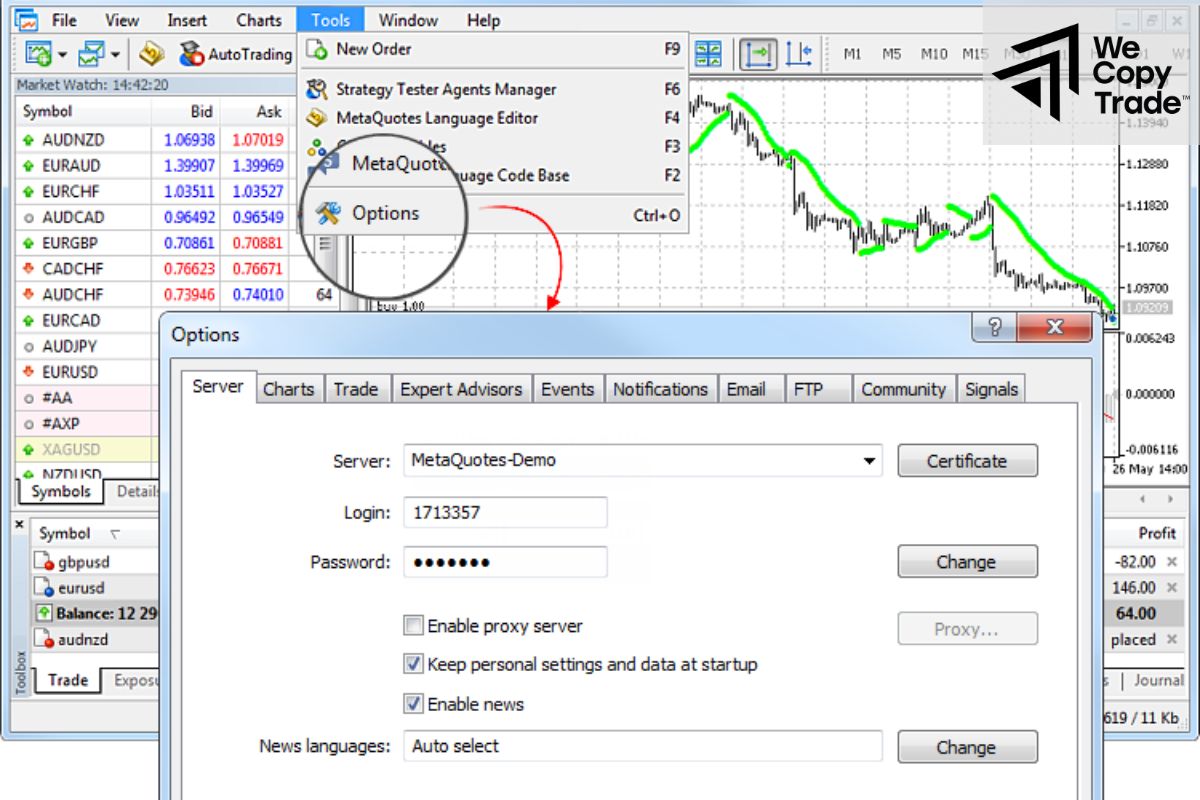
When reducing the maximum number of bars displayed, MetaTrader does not need to process too much data, which reduces the load on the CPU and increases the response speed.
How to do it:
- Go to Tools > Options > Charts.
- Adjust the Max Bar and Max Bar in History to about 50% or less.
Step 2: Optimize RAM
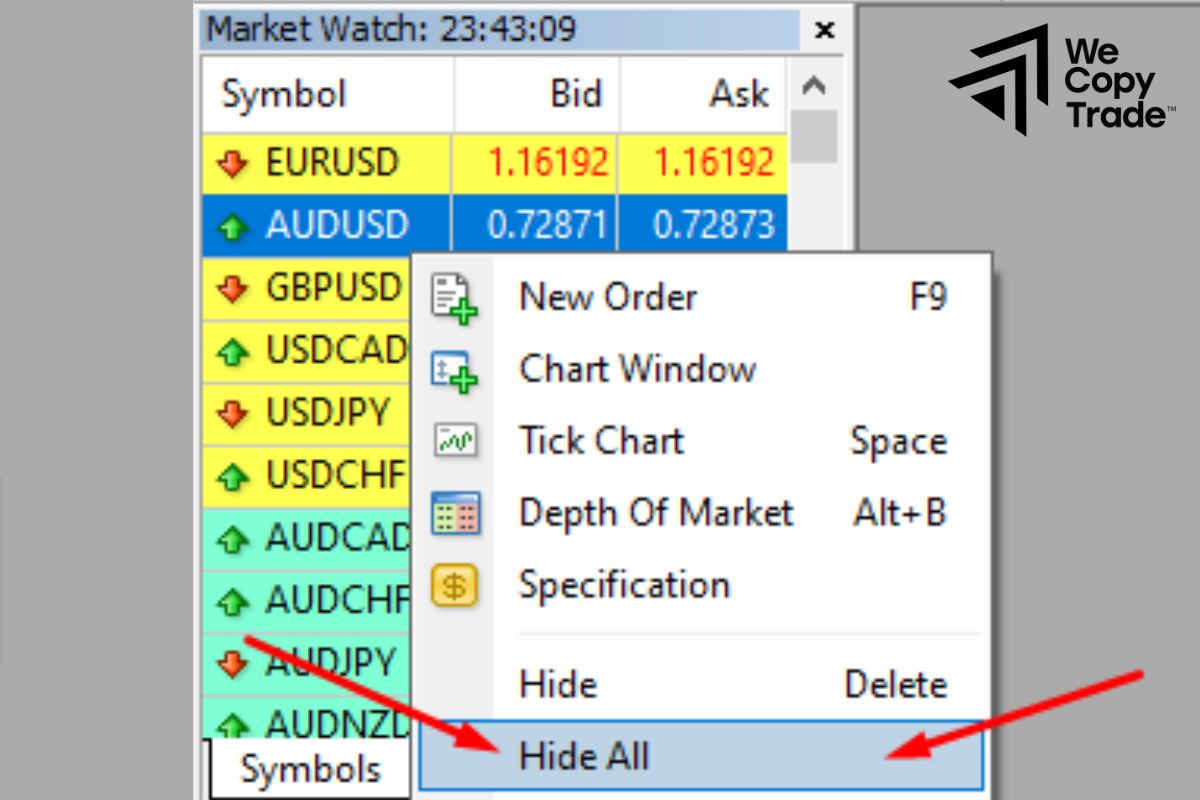
RAM is the computer’s working memory. When RAM is overloaded, MetaTrader will work slowly.
How to do it:
- Right-click on the tools in the Market Watch window and select Hide unused tools
- If you are using an Expert Advisor, turn off the logging function to reduce RAM consumption.
- Close the charts that you are not using.
- Periodically restart the platform to free up memory.
Step 3: Optimize resources
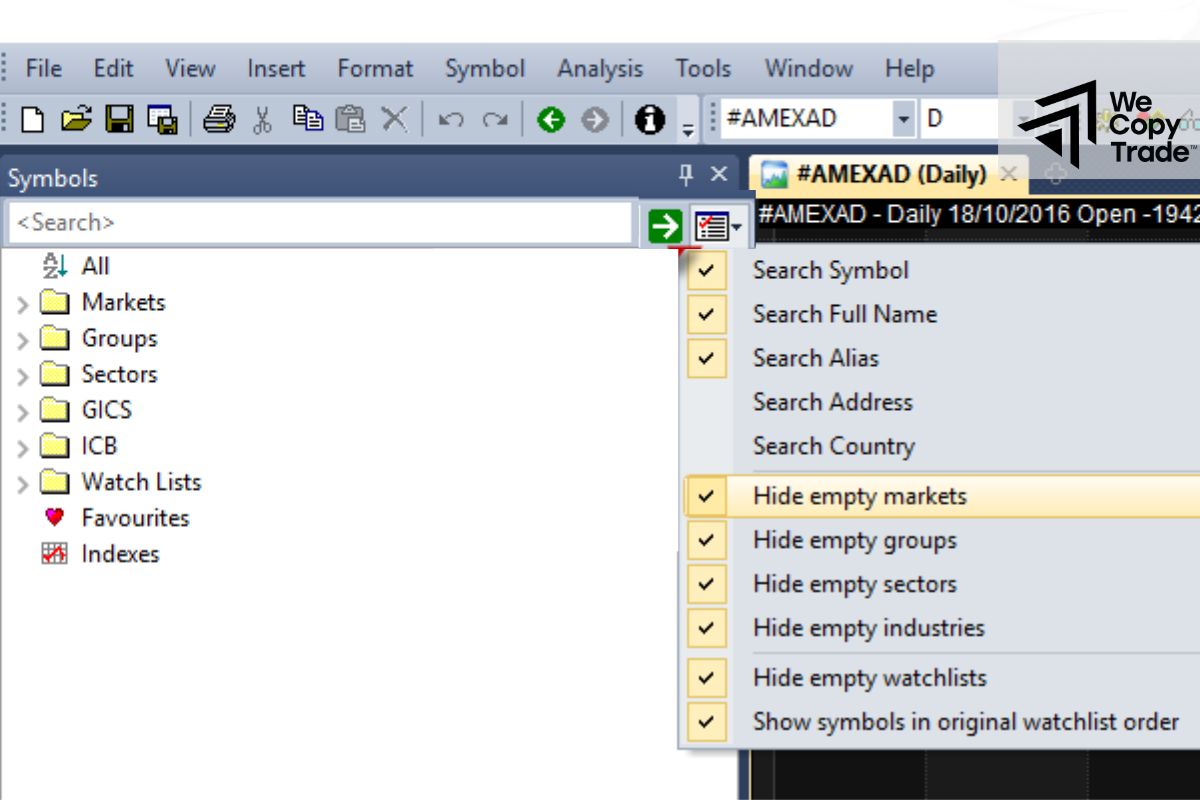
Opening too many charts, features such as receiving news, sounds,… using EAs and too many indicators at the same time will consume a lot of system resources. Focus on the charts and indicators that are most necessary for your trading strategy.
Specific tips:
- Focus on one chart to reduce resource consumption.
- Keep only the indicators that are really useful for your analysis.
- Run only the necessary EAs to avoid overloading the system.
- Adjust the settings in the MetaTrader “Options” to Disable receiving news, sounds and emails
- Right-click on the symbol list and select “Hide” unused symbols in Market Watch
Step 4: Check and remove custom indicators
Custom indicators, especially poorly programmed or ineffective ones, can be a major cause of delays and lags on MetaTrader. These indicators often consume a lot of system resources, reducing the overall performance of the platform.
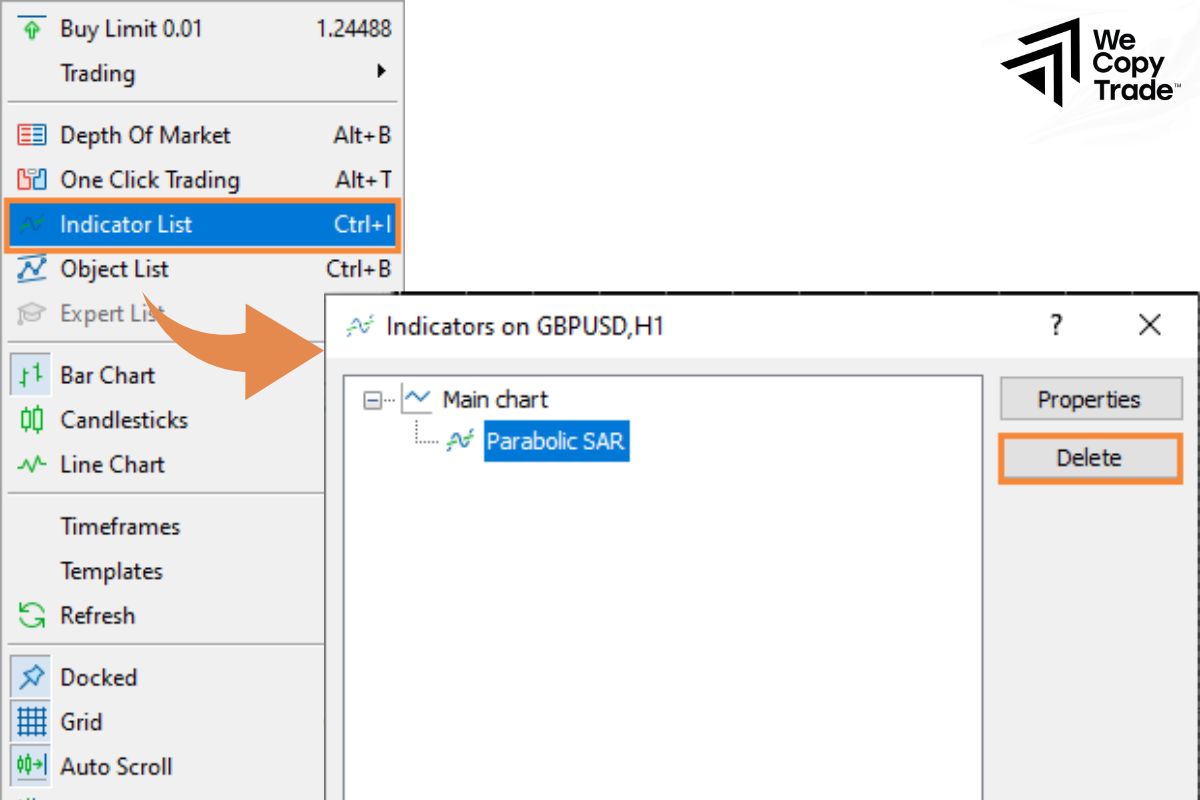
How to remove a custom indicator:
- Open the chart that is using the custom indicator you want to remove.
- Right-click on the chart and select “Indicators List” to access the indicator list
- In the list that appears, find and select the exact indicator you want to remove.
- Click the “Delete” or “Remove” button (usually a trash can icon) to remove the indicator from the chart.
- Confirm the deletion to ensure the indicator has been completely removed.
To test the performance of MetaTrader after performing the above troubleshooting steps, you can perform actions such as opening and closing multiple charts at the same time, drawing trendlines, or using other drawing tools. Compare the platform response time before and after removing the custom indicator to evaluate the improvement.
Conclusion
In conclusion, when you understand the cause and know how to fix it based on following the instructions of the article, you will have a more stable and smoother trading platform and answer the question “How can I speed up Metatrader performance”.
See now: