












The world of trading indicators is extremely diverse. Each indicator will have its own advantages and disadvantages. Therefore, knowing how to combine suitable indicators and turn them into your own indicators that suit your trading style will help you make smarter investment decisions. Let’s learn How to add custom indicators to MT5 simply in the following article!
What are custom indicators?

MT5 Custom Indicators are flexible tools created by traders themselves to analyze the market in their own way. Instead of relying on ready-made tools, you can design your own tools that suit your trading style to get a more accurate view of the market. This way, you can discover investment opportunities that conventional tools cannot find.
See now:
- Custom indicators – Install MetaTrader 5 custom indicators
- Backtesting Before Trading – How to backtest on MT5?
- Reason traders should consider MT5 automated trading systems
- How to Customize MT5 Charts Successful Trading for Beginners
How to Choose a Custom Indicator
Choosing the right indicator is a process that requires careful study. You need to spend time researching, comparing and evaluating different indicators.
First, join trading groups, read reviews of different indicators. When choosing an indicator, pay attention to the following factors:
- Is the indicator adaptable to different types of markets?
- Does the indicator provide accurate signals?
- Does the indicator fit your budget?
There are many free and paid indicators. Paid indicators are usually better in quality but also more expensive. You can choose to buy them once or subscribe to use them depending on your needs and purposes.
Experiencing Your Trading with Top Reliable Custom Indicators
MT5 is a powerful tool that helps crypto traders make better decisions. Here are some of the most popular custom indicators with top performance:
Atomic Analyst
Atomic Analyst is a price action-based indicator that uses artificial intelligence to filter out noise, helping you focus on identifying trends and reversal points effectively
Atbot
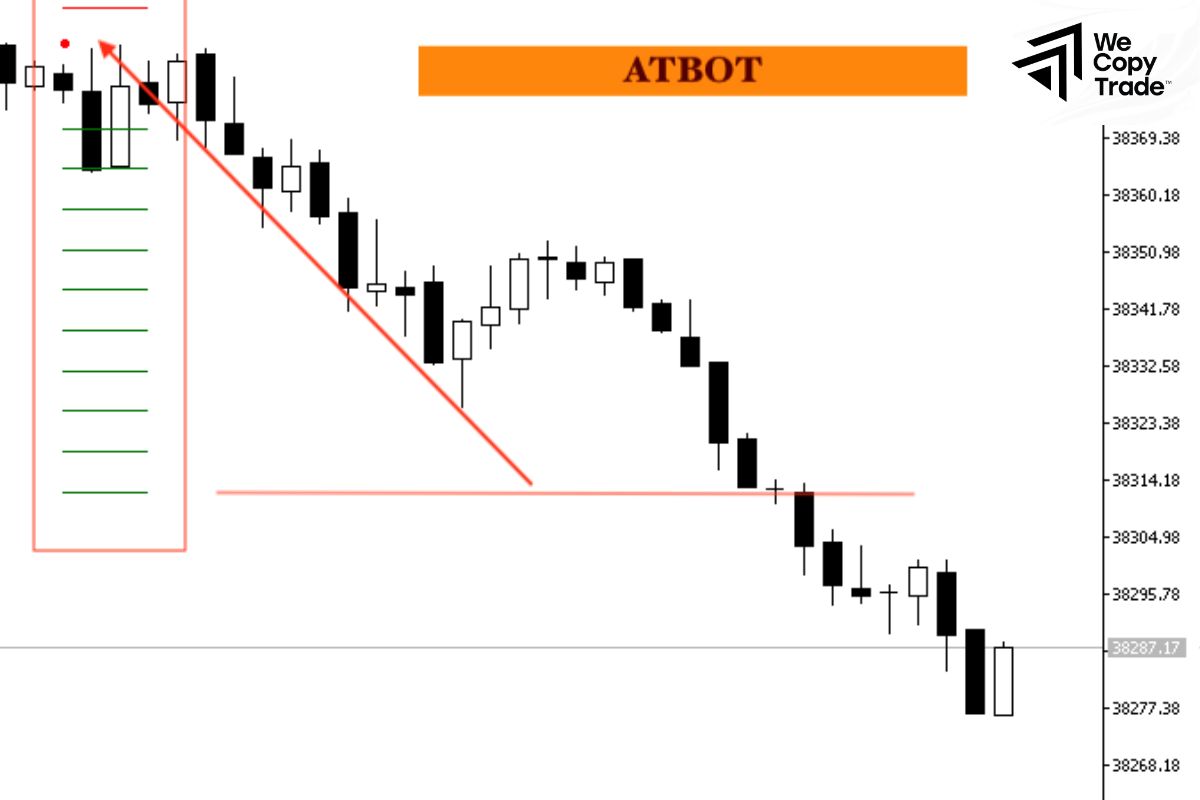
Is Created by combining multiple technical analysis tools to provide more accurate buy and sell signals.
Smart Price Action Concepts
Is a comprehensive tool that shows you the important areas that big investors are focusing on, warning you of sudden changes in the market. Thanks to that, you can make better trading decisions. This indicator works based on advanced technical analysis principles. It helps you identify price zones where market reversals are likely to occur.
Trend Screener Pro
Is an advanced technical analysis tool with many integrated features. By using fuzzy logic and various trading strategies, this indicator provides clear and reliable trading signals, helping you maximize profits and minimize risks in cryptocurrency trading.
FX Power MT5 NG
This indicator takes advantage of price fluctuations in the cryptocurrency market, comparing the strength of different cryptocurrencies, helping you choose coins with potential to increase in price and avoid coins that are falling in price. With customizable features and alerts, FX Power MT5 NG will help you stay on top of the latest market fluctuations.
Heikin-Ashi Smoothing
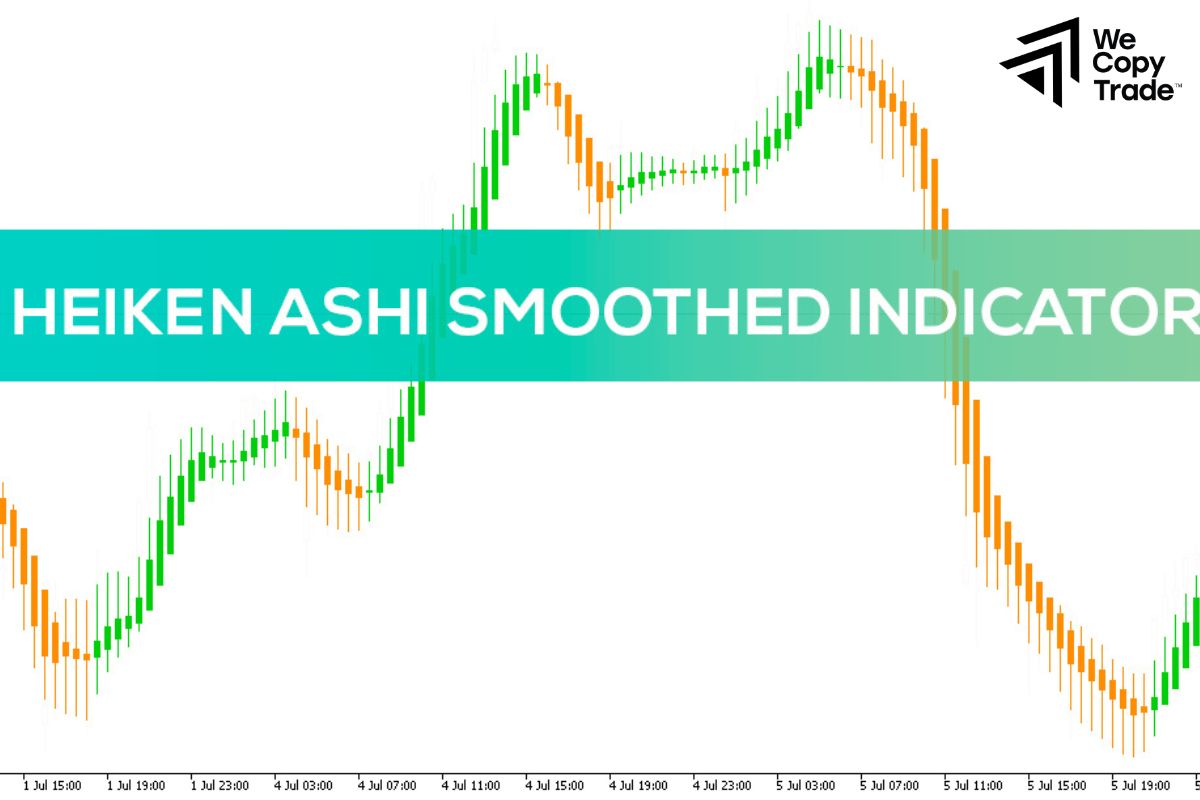
is a tool that helps you see the market trend more clearly, helping you easily recognize whether the market is going up or down, thereby making more accurate trading decisions.
ICT KillZone
Is a tool that helps you identify the most volatile price periods during the day. Understanding these times will help you make the most of opportunities and avoid unnecessary risks.
Trading Assistant
Trading Assistant combines multiple indicators, acting as a personal financial advisor, always ready to give you advice. This tool closely monitors market developments and gives buy/sell signals based on complex technical analysis, helping to grasp the overall trend. By
For example: When the market is trending up, Trading Assistant will display a buy signal. Conversely, when the market is going down, you will receive a sell signal. Thanks to that, you can be more confident in making trading decisions, even in highly volatile markets.
BB-MACD
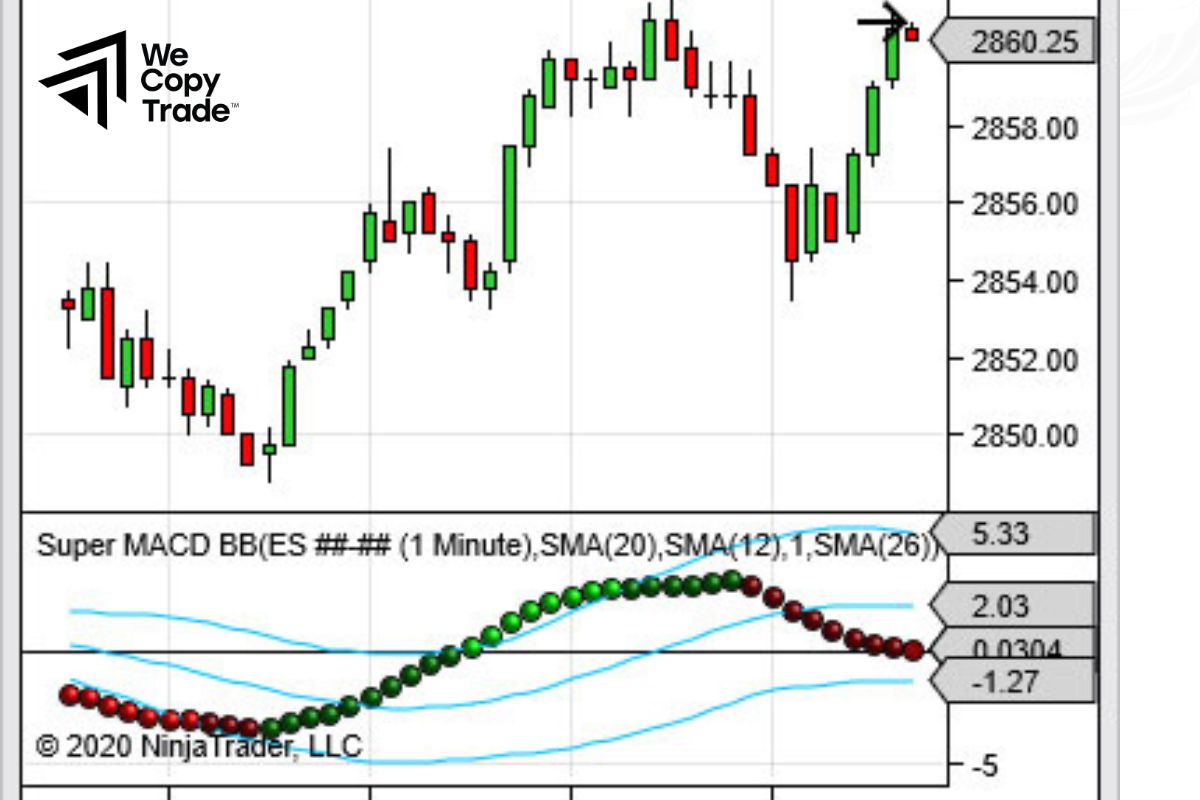
BB-MACD is a technical analysis tool that combines the power of two famous indicators: Bollinger Bands and MACD, showing whether the market is volatile or weak, going up or down. When combined, BB-MACD will give you an overview of both the direction and strength of the market. Thanks to that, you can find the right times to buy or sell.
Trend Catcher with Alert
Trend Catcher with Alert is a tool that helps you identify whether the market trend is going up or down through the candle color:
- Green candle: The market is increasing.
- Red candle: The market is decreasing.
In addition, this tool can also send you alerts when the market has big fluctuations, helping you not to miss any opportunities.
How to add custom indicators to MT5
Here is the guide to install custom indicators on MT5:
Step 1: Download the indicator
- From the MT5 Terminal: Open the Toolbox, find the indicator you want to download and click “Download”.
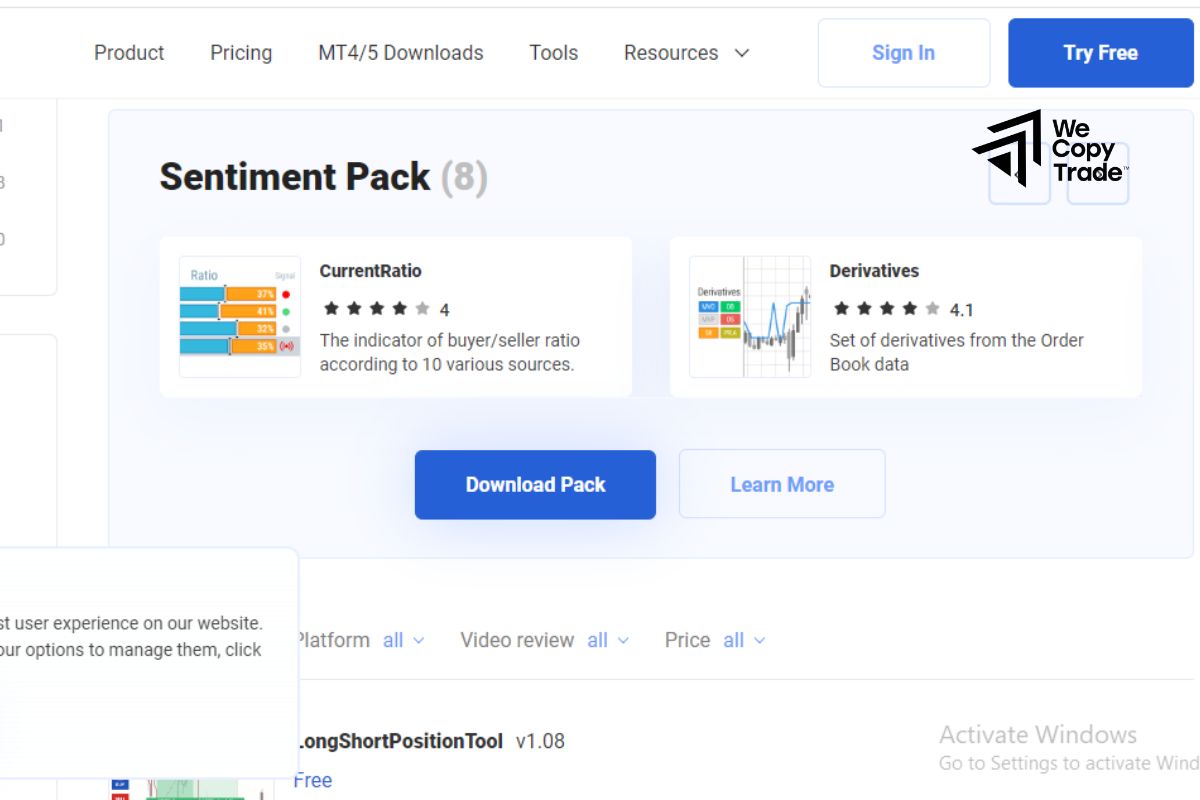
- From the MT5 website: Go to the Marketplace, find the indicator and download the .mql5 file.
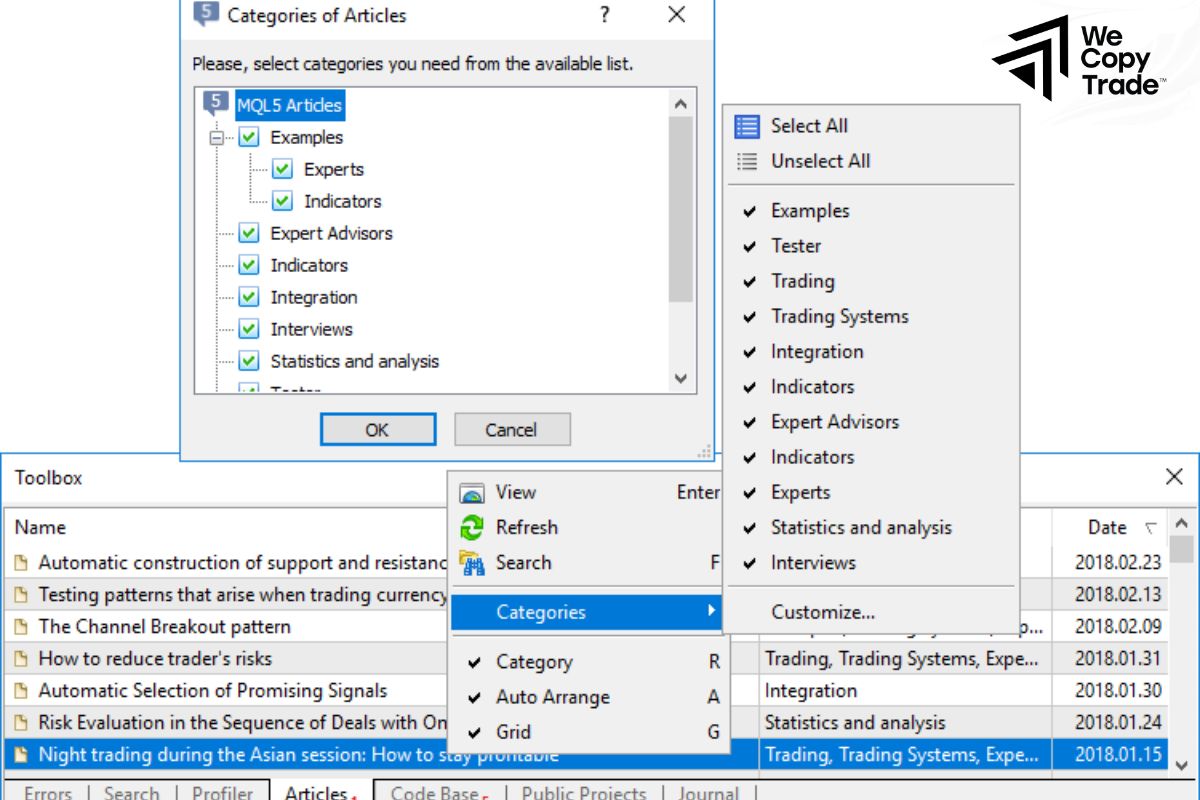
Step 2: Install the indicator on MT5
- On MT5, go to File -> Open Data Folder -> MQL5 -> Indicators.

- Copy the downloaded .mql5 file and paste it into the Indicators folder.
- Close and reopen the MT5 software.
Step 3: Add the indicator to the chart
Select the currency pair or asset you want to analyze, and then open its chart.
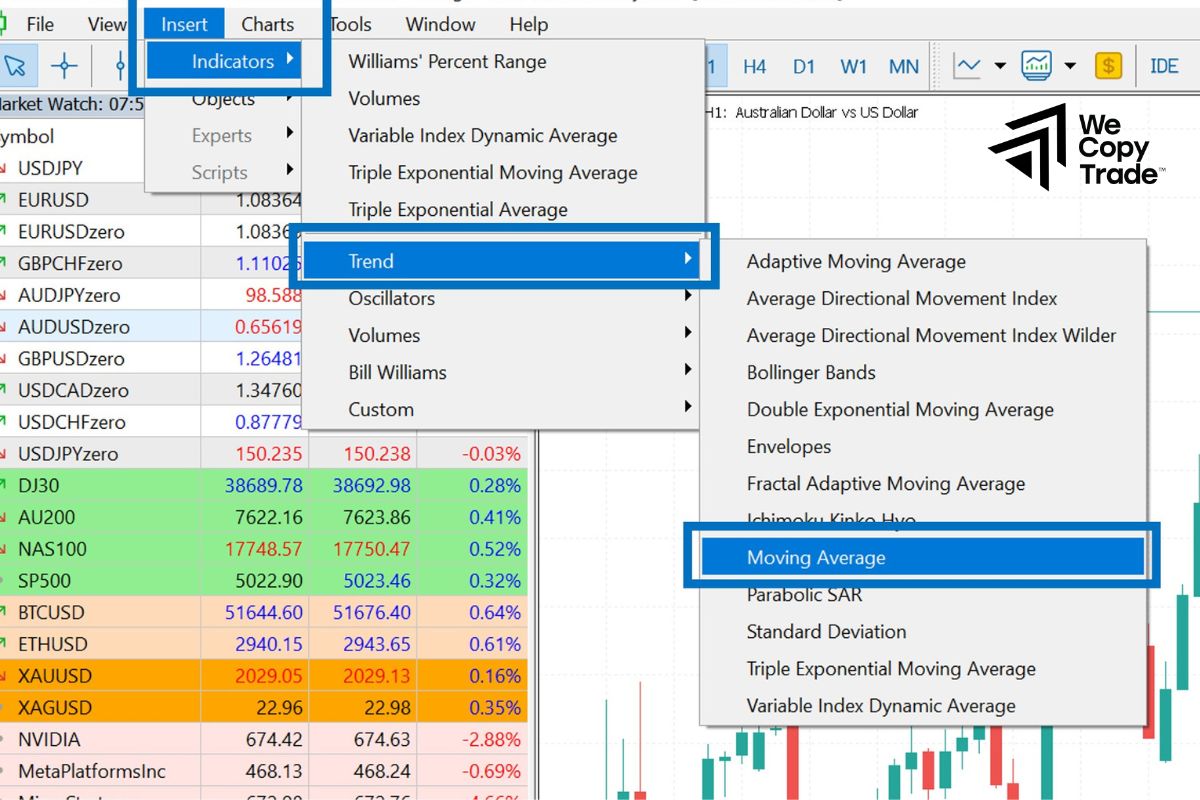
- Go to Insert -> Indicator.
- Find and select the indicator you just installed.
- Customize (if needed): Adjust the parameters of the indicator as desired.
How to Remove an Indicator from a Chart
There are several ways to delete an indicator on MetaTrader 5:
Method 1:
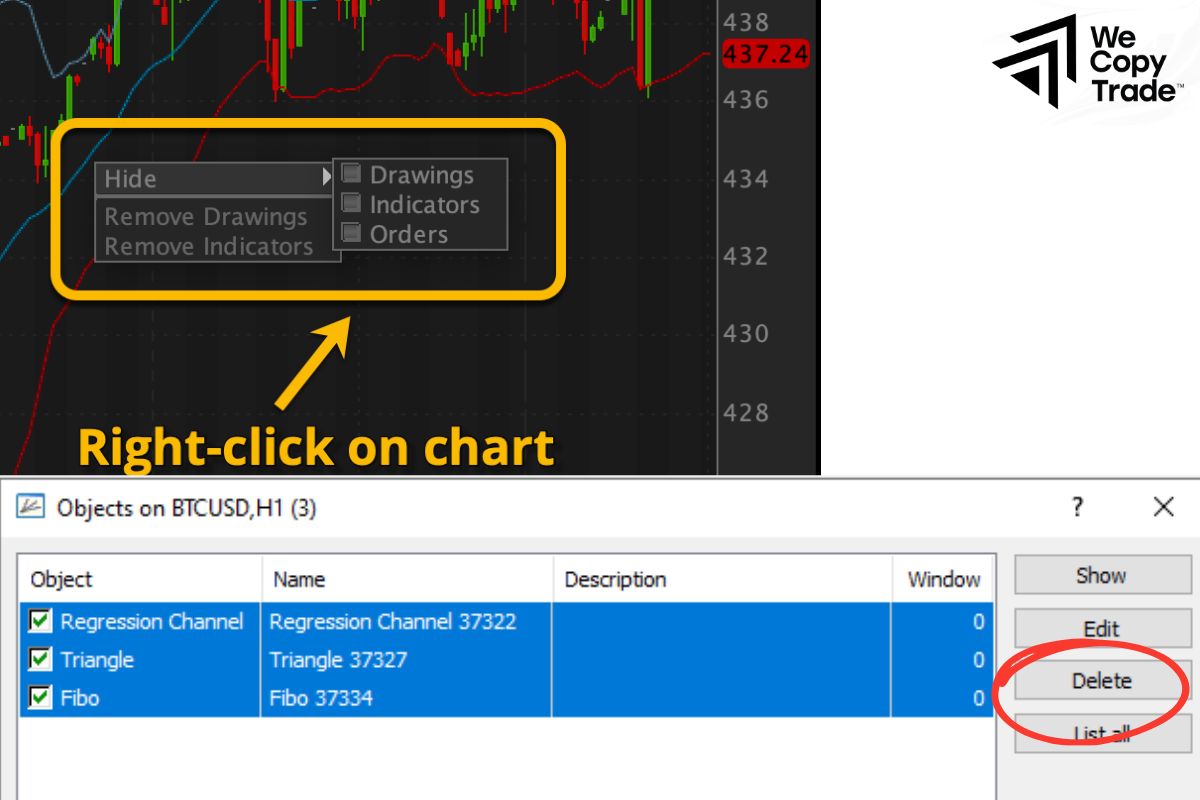
- Right-click on the chart containing the indicator you want to delete
- Select “Delete Indicator” from the pop-up menu.
Method 2:
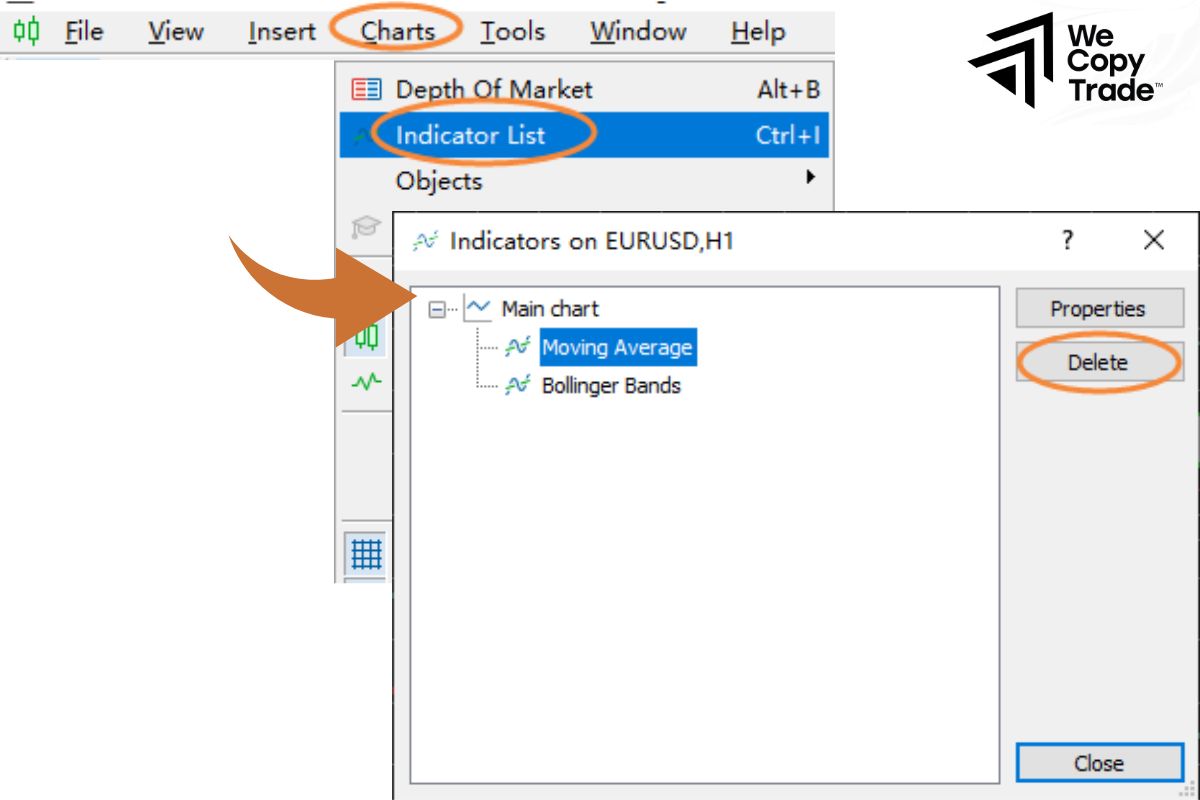
- Open the chart’s context menu, navigate to the list of currently used indicators and select the indicator you want to delete, then click “Delete”.
- When you delete an indicator on MetaTrader 5, it will disappear completely from the current chart. If you want to use this indicator again, you need to add it to the chart again.
Conclusion
In conclusion, do you know How to add custom indicators to MT5? Very simple, right? Create your own effective indicator through the suggestions of the article, your path to success will be shorter right there!
See more: