













If you are new to investing in the financial markets, the MT5 demo account will be the ideal companion. With a demo account, you can get acquainted with the complex interface of MT5, understand how the market works and explore useful analytical tools. Thanks to that, you can be more confident when deciding to move to trading with real money. Let’s follow the MT5 demo account explained more clearly!
What is a MT5 demo account?
MT5 demo account is a place to provide a virtual amount of money to practice trading on the MT5 platform without worrying about losing real money. MT5 demo account provides a flexible space with a variety of analytical tools and charts, you can freely test strategies, learn from mistakes and practice your trading skills in a simulated environment close to the real market.
See more:
- MT5 Mobile App Overview – How to Download MT5 Just 3 Minutes
- Comparing MT5 vs cTrader platform – Which platform is better?
- Custom indicators – Install MetaTrader 5 custom indicators
MT5 demo vs real accounts
Let’s highlight the strengths of MT5 demo account explained by comparing it with a real account right after this
MT5 demo
MT5 demo account explained is a free trial account for those who want to test trading strategies before investing without worrying about losing real money. This account will provide a virtual amount of money to trade. With an interface and features like a miniature copy of a real account, MT5 demo helps you get familiar with the real trading environment, test strategies and become confident before trading with real money
Real Account

A real account is an account used by those who are ready to invest and want to make profits from the market. To start trading, investors need to deposit money into the account. Therefore, while you can earn high profits, it also goes hand in hand with the possibility of losing the money you invested.
Difference between MT5 Demo and real accounts
| Features | Demo Account | Live Account |
| Fund | Cryptocurrency | Real Money |
| Risk | No Risk | Risk |
| Profit | No Profit | Possible Profit |
| Purpose | Learn, Experiment | Earn Profit |
| Automatically archived | After 7 to 21 days of inactivity | If your account balance is less than 0.01 USD after 3 days, less than 1 USD after 14 days, or less than 10 USD after 30 days of inactivity, your account may be closed. |
Advantages of Using an MT5 demo account explained
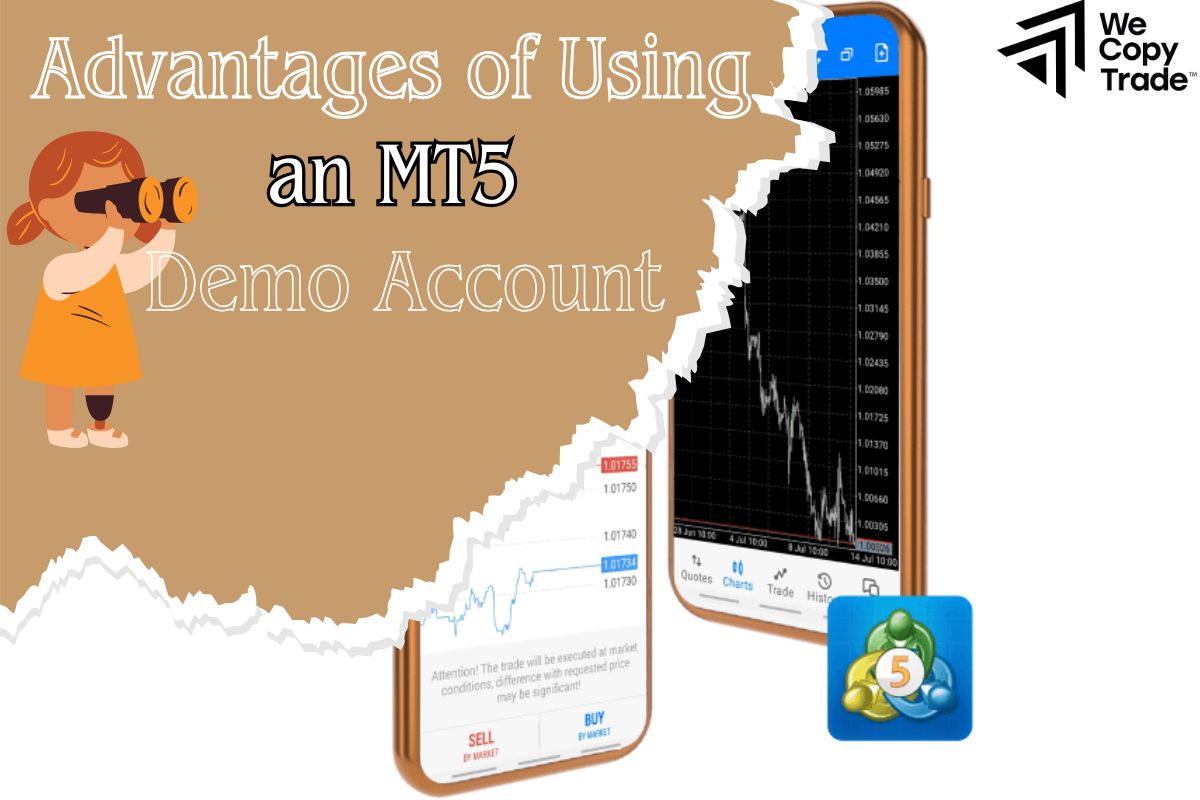
The demo account acts as a stepping stone to support traders in their first steps with outstanding features such as:
- MT5 is a professional trading platform, but don’t worry! The demo account will help you get acquainted step by step, from simple order placement to using complex analysis tools.
- There are hundreds of different trading strategies, and the demo account allows you to test them all, from basic tactics to more complex ones.
- With real market data, you can analyze charts, predict trends, and practice your technical analysis skills.
- Before trading with real money, practice your risk management skills on a demo account. You will learn how to place stop-loss orders, take-profit orders, and control your risk effectively.
- Success on a demo account will give you more confidence when moving to real trading. You will make better trading decisions and minimize the risk of loss.
Downloading and Installing MT5
Step 1: Open your web browser and go to HYCM’s homepage.
Step 2: Find the MT5 download section
- On the homepage, navigate to “Trade” or “Platform”.
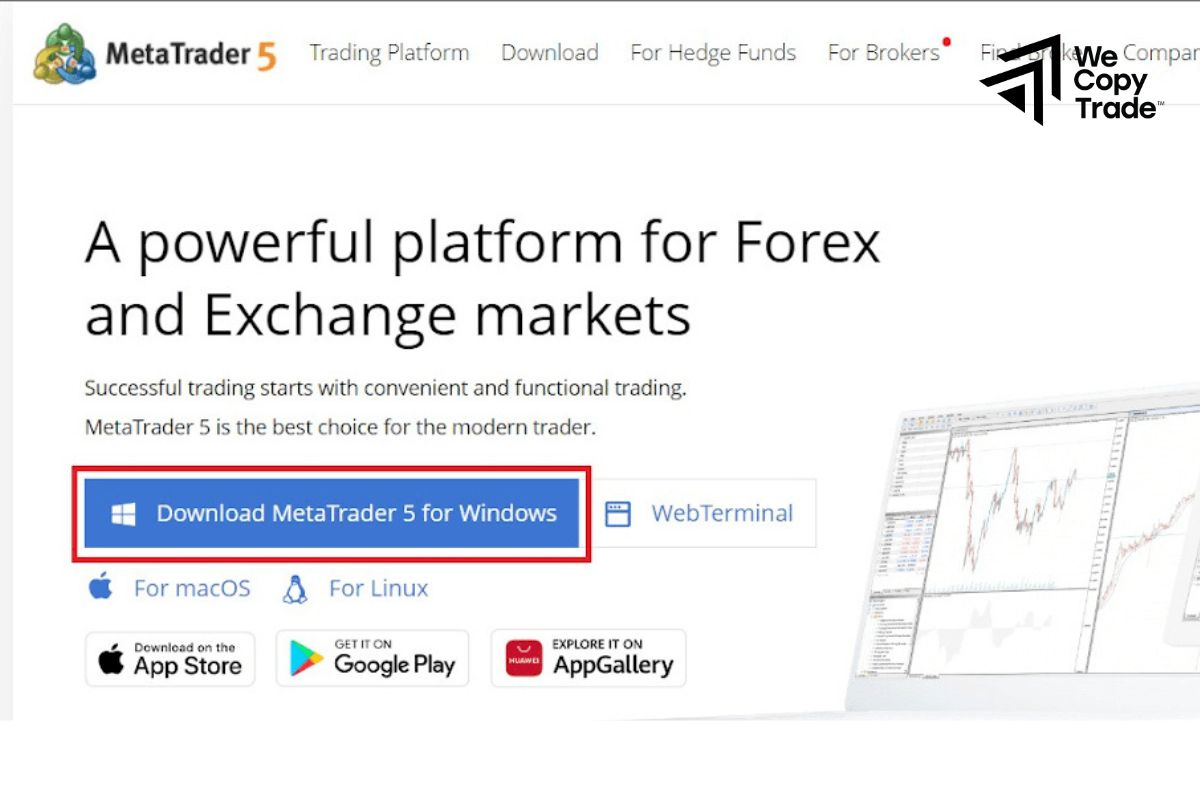
- Click on the “Download MT5” or “Download Desktop” button.

Step 3: Install the software
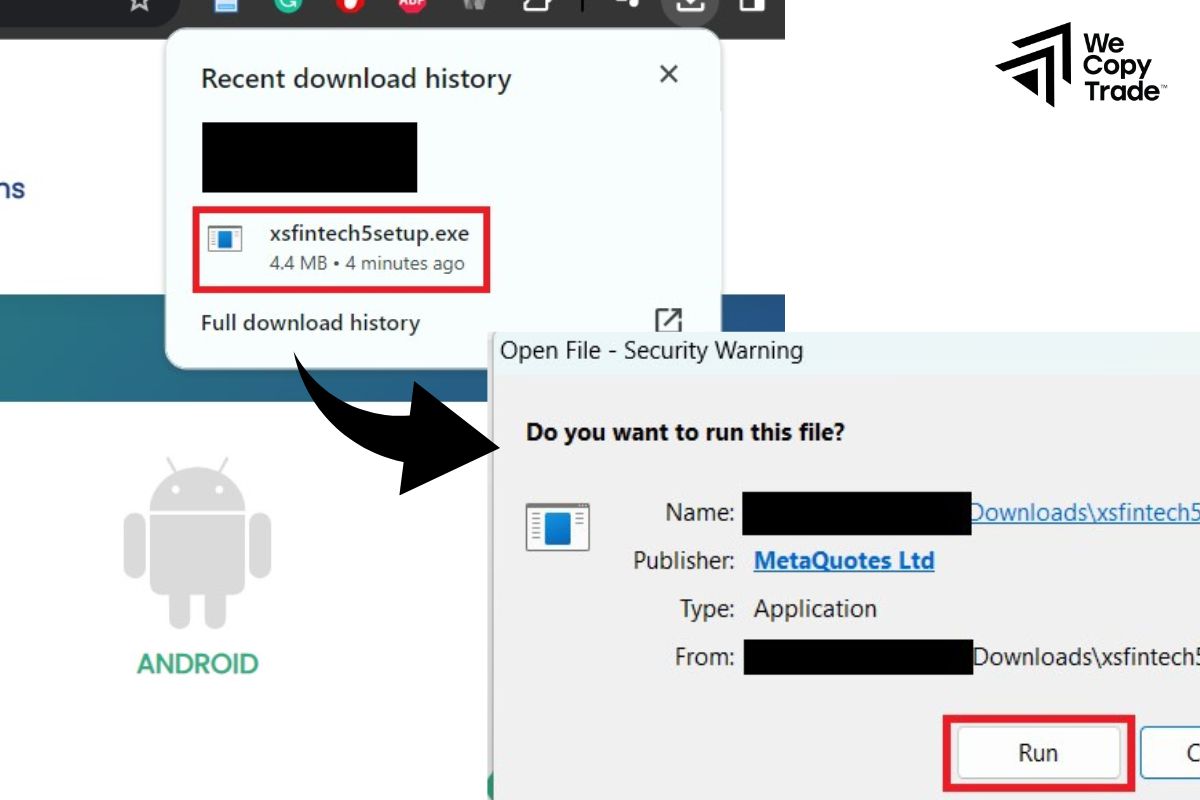
- Once the download is complete, find the installation file in the “Downloads” folder or the storage folder you selected.
- Double-click on the installation file to start the installation process.
- Follow the on-screen instructions to complete the installation process.
Step 4: Log in to your account
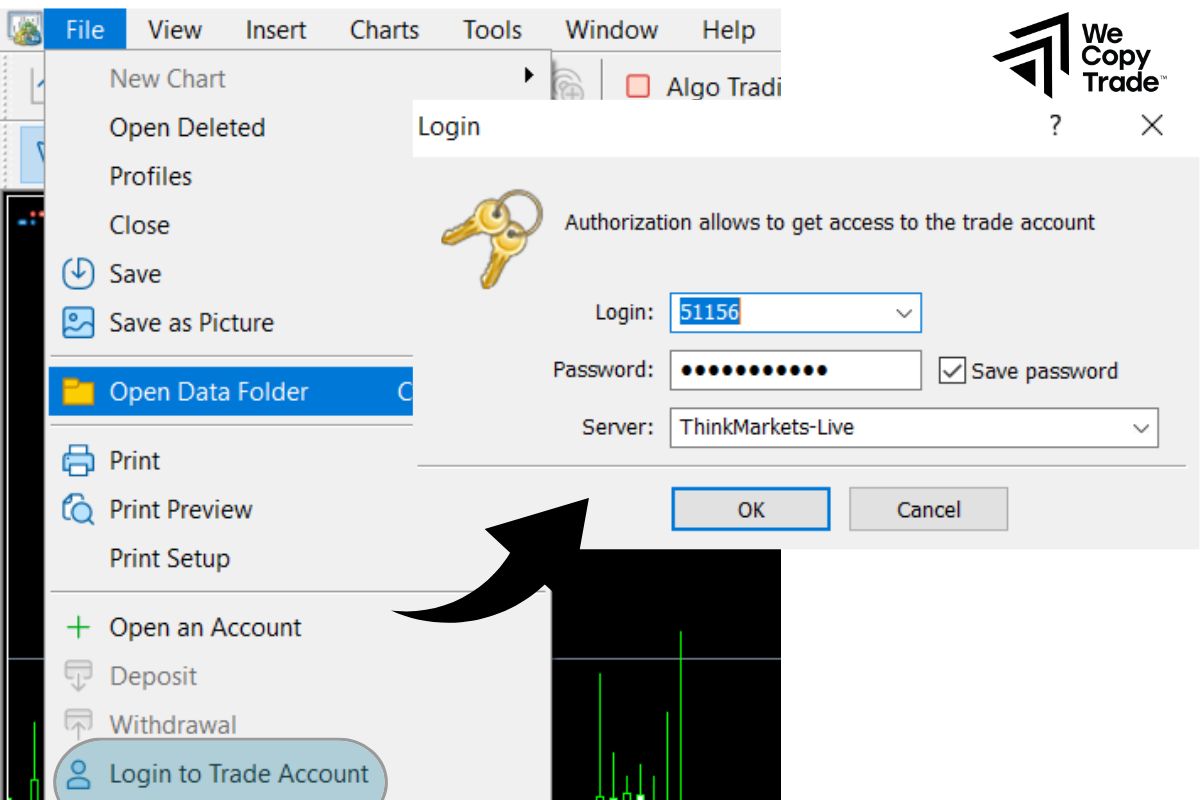
- After the installation is complete, open the MT5 software.
- Go to the “File” menu -> “Login to Trade Account”. Enter your full account ID, password and select the trading server you were provided with.
- Click “Login”: Complete the login process.
Opening a Free MT5 Demo Account
In just a few simple steps, you are ready to start opening an MT5 demo account:

- Choose a reputable broker such as IG, eToro, XM, Pepperstone and RoboForex are reliable options, offering the MT5 platform and supporting a wide range of cryptocurrency pairs.
- Look for the “Open a demo account” or “Try it for free” section on the homepage.
- Fill in your full name, email address, phone number and country of residence in the registration form and you will immediately have a demo account with virtual balance to practice trading.
- Choose the MetaTrader 5 platform and request a demo account that supports cryptocurrencies. This is the best way to get familiar with the interface and features of the platform without worrying about risks.

- Double check all the information you have filled in to make sure there are no errors. After pressing the “Submit” button, you will receive a confirmation email and demo account login information immediately.
- Right-click on the “Market Watch” window and select “Symbols” to add the cryptocurrency pairs you want to monitor and trade.
- Use the demo account to get familiar with the interface, place buy/sell orders, use technical analysis tools and test different trading strategies.
Starting to Trade on MT5 demo account explained
Once logged in, you can start exploring and experiencing the full features of MT5. Here are some tips to get the most out of your demo account:
- Treat your demo account like a real trading account to form effective trading habits and strategies.
- Choose a virtual amount corresponding to the capital you plan to invest in the future to have the most realistic experience.
- Record the details of each trade, the reasons for entering and exiting the order to learn lessons and improve your strategy.
- Test different strategies to find the trading style that suits you.
- Create different market scenarios to practice adaptability and deal with unexpected fluctuations.
Conclusion
In conclusion, the article has an MT5 demo account explained very clearly. An MT5 account is an indispensable part of deciding success in trading. Therefore, to ensure safety when entering a real playground, show all your strategic skills on the MT5 demo account!
See now: