













Have you ever heard of stop orders? It sounds very simple but in fact this order plays a very important role in trading. When you really understand and know how to apply them, you will manage the risks very well when trading. Don’t miss the opportunity, let’s find out right away:
What are stop orders?
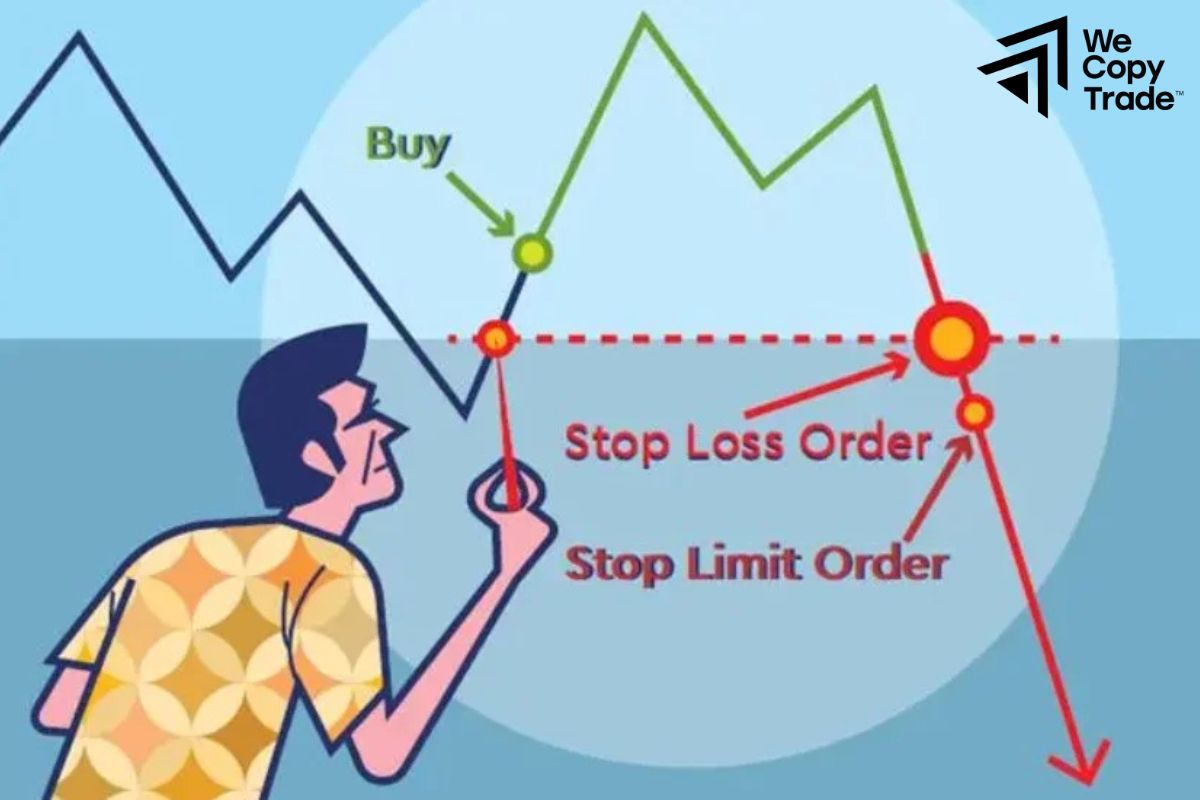
Stop orders are a useful asset protection tool that helps you automate your trading and minimize your risk. You don’t have to sit in front of your computer screen all day to monitor the market. You set a specific price, and when the stock price reaches that price, the order is automatically executed to buy or sell the stock, helping you protect your profits or limit your losses. However, sometimes the stock price can fluctuate so much that you buy or sell at a price you didn’t expect.
See now:
- What is a Limit Orders? Guide How to place limit orders
- Tips ECN Accounts Trading for beginner you should know
- What are Islamic Accounts in Forex? Top Accounts Forex
- How to Open Mini and Micro Accounts Easily in just 5 steps
Advantages of Stop Orders
- When you place a stop order, you’re telling the exchange, “If the price reaches this level, sell (or buy) my stock immediately.” And the exchange will execute your order quickly.
- Stop orders help you protect your account from unwanted risks. You can set your own rules, and “stops” help you stick to them.
- Stop-loss orders help you set a limit on how much money you can lose on a trade. For example, if you buy a stock and place a stop-loss order, you will never lose more than the amount you set.
Disadvantages of Stop Orders
Market volatility can cause your stop order to be triggered earlier or later than expected, resulting in unnecessary losses.
When you place a stop order, there may be situations where the stock price changes so quickly that your order is not executed at the price you wanted, reducing the profit or increasing the loss of a trade.
Types of Stop Orders
There are three main types of stop orders that help protect your trading account:
Stop Loss Order
This is the most common order, used to automatically sell a stock when the price drops to a certain level that you set in advance, helping you get out of a losing position before you lose too much money. Stop losses give you peace of mind and don’t have to constantly monitor the market when there are fluctuations.
For example, if you bought XYZ stock at $27 and wanted to sell if the price fell below $25, you would place a stop loss order at $25.
Stop Entry Order
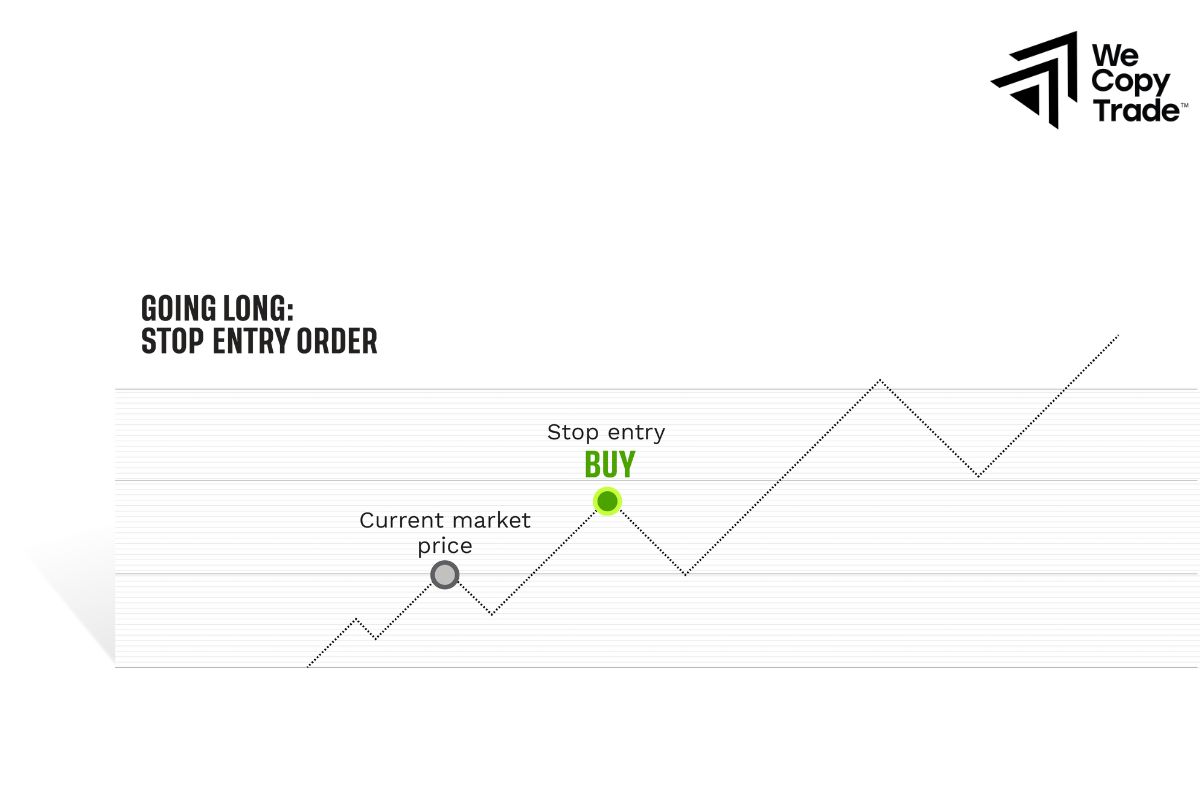
This type of order is the opposite of a stop loss order, it helps you execute a buy order when the price rises automatically. You don’t have to sit in front of the screen to monitor every little change in price. When the price reaches the level you want, the order is automatically executed.
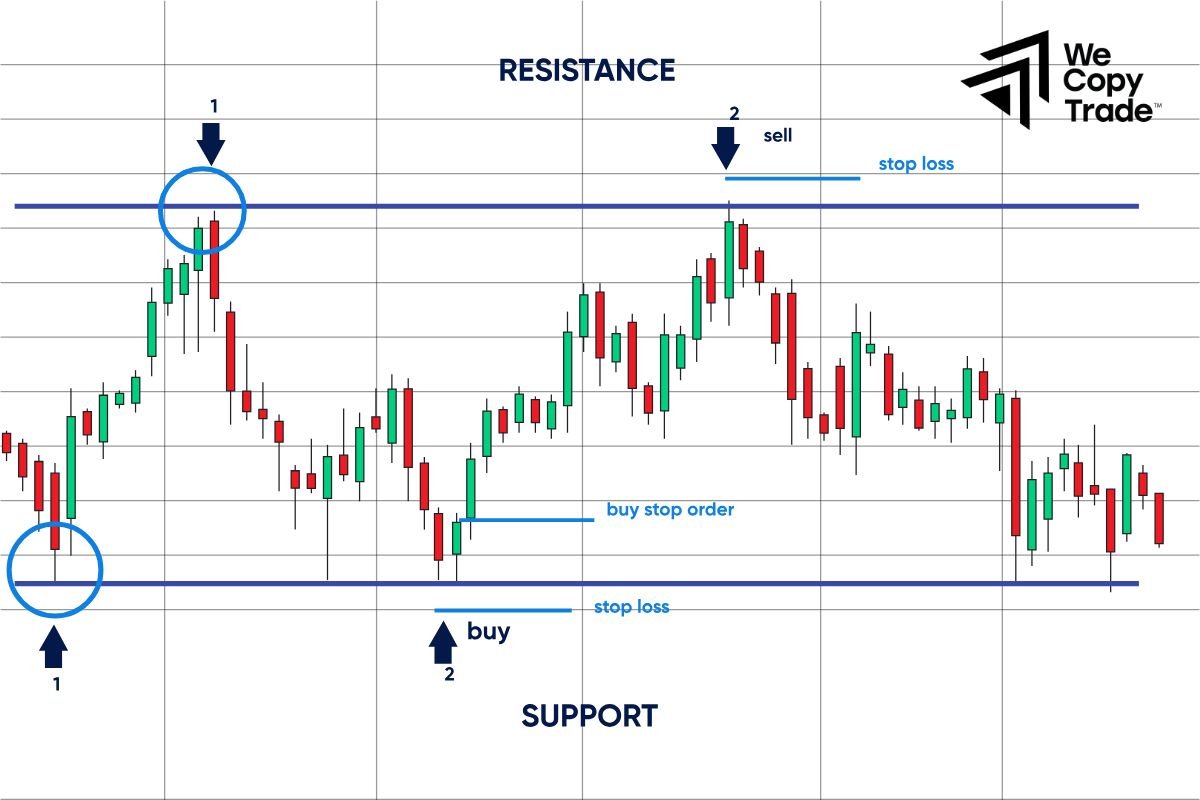
For example, you see XYZ stock is moving sideways in a certain price range. You believe the price will soon go higher. Now you can place a buy order when the price breaks above the high of that range.
Trailing Stop Loss
This is a variation of the stop loss order that automatically adjusts the stop price according to the current market price, helping you better protect your profits.
For example, after you buy XYZ stock at $32.28, the stock price continues to rise. To protect your profits, you can place a trailing stop loss order. If the stock price falls to a certain level, the string will automatically pull you out of the market. However, this string can automatically adjust its length according to the stock price. If the price rises, the string will also lengthen, helping you keep your profits.
Stop Orders vs. Limit Orders
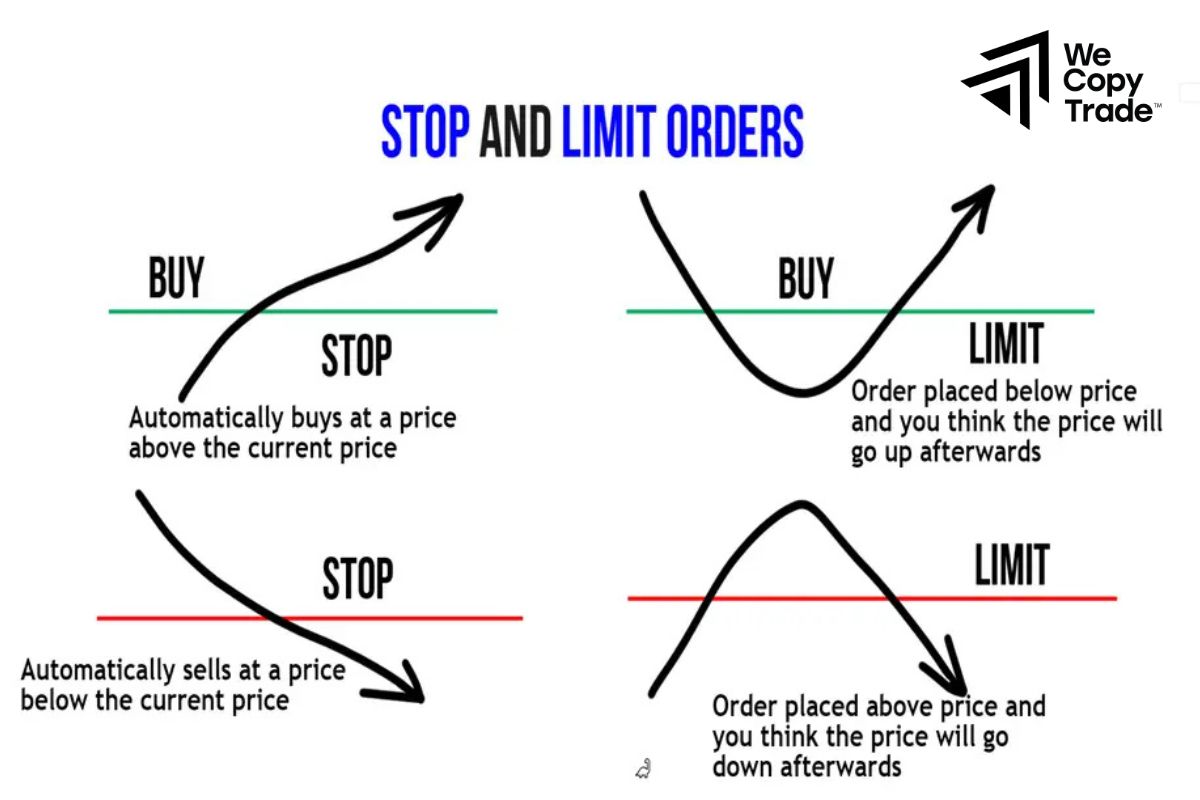
Stop orders and limit orders are two useful tools that help investors control their trades. When the market price moves in an undesirable direction, a stop order will help you cut your losses, limiting your losses. Conversely, a limit order will help you buy or sell when the price reaches the desired level, helping you lock in profits or open a new position.
Both types of orders have their own advantages and can be used in combination with each other. Many trading platforms today allow you to place a “stop-limit” order that combines both functions in a single order, giving you more flexibility in managing your trades.
Understanding stop orders and limit orders is essential for you to make effective trading decisions. Take advantage of both tools to protect your capital and increase the profits of your investment portfolio.
When Can We Place Stop Orders?
Since a stop order acts like a market order when it is triggered, it follows the same rules regarding trading hours. This means that:
- Stop orders can only be executed during regular market hours, which is usually 9:30 a.m. to 4 p.m. You will not be able to use a stop order during after-hours trading sessions or when the market is closed.
- You can choose to set a stop order that is only valid for that day or that is valid until executed (GTC). If you choose GTC, the order will remain valid for the following trading sessions until the condition is met or it expires (usually 180 days).
It is important to remember that a stop order is a tool, not an absolute. Market prices can move very quickly, and your order may not be executed at the exact price you wanted.
How to Place a Stop Order
Placing a stop order is an effective way to alert and protect investors’ capital when the market price fluctuates unexpectedly without having to sit and watch the screen continuously. Depending on your trading goals, you can place a stop order in two main ways:
- Place a stop-loss order at a price lower than the price when you bought a stock and want to limit your risk if the price falls. If the price falls to this level, the stop order will automatically sell the stock so you don’t lose too much.
- Place a stop-entry order if you want to open a buy position when the price rises above a certain resistance level. When the price breaks this level, the order will automatically buy to help you seize the opportunity.
How to place an order:
First, you need to open a trading account at a reputable exchange.
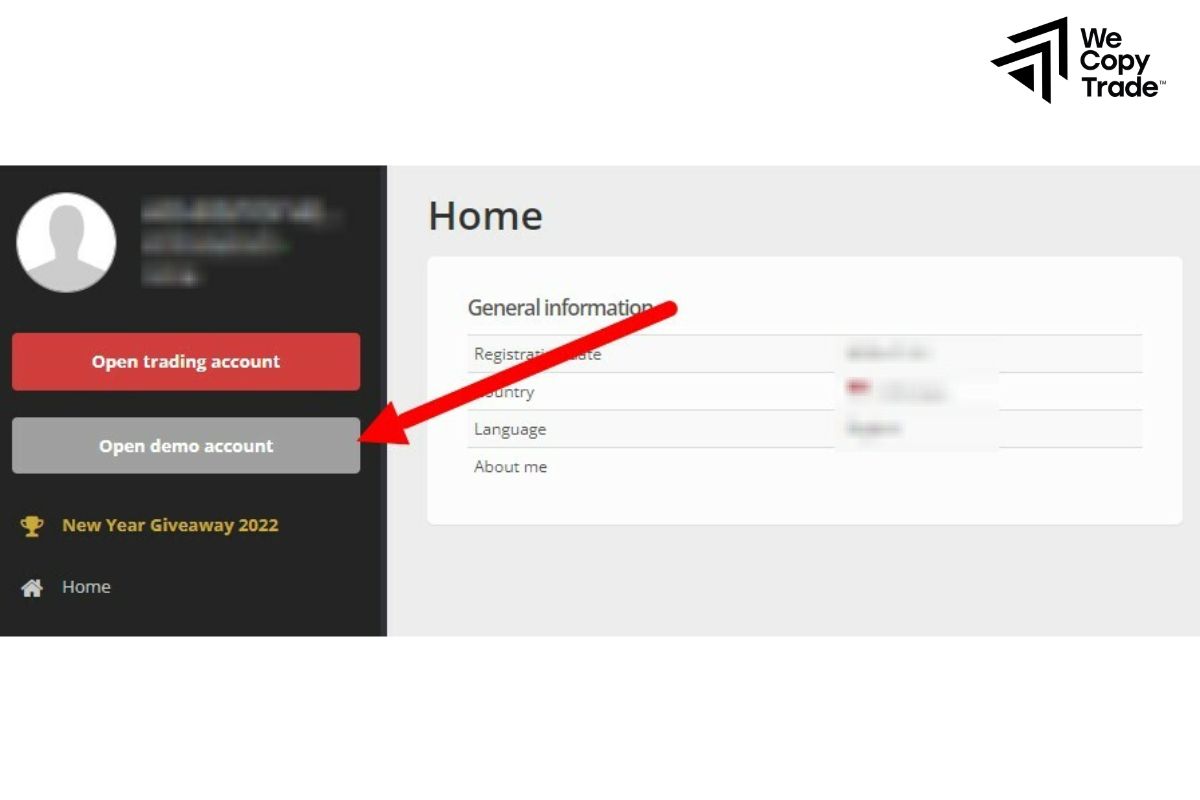
Next, carefully research the market you want to trade.
After choosing a market, you will choose a specific trading pair (e.g. currency pair, index pair, …).
Place an order:
- Go to “Orders” on the trading interface.
- Select the type of stop order you want (stop-loss, stop-entry).
Fill in the necessary information such as:
- Buy order price
- The amount of the asset you want to trade.
- The type of order is buy or sell.
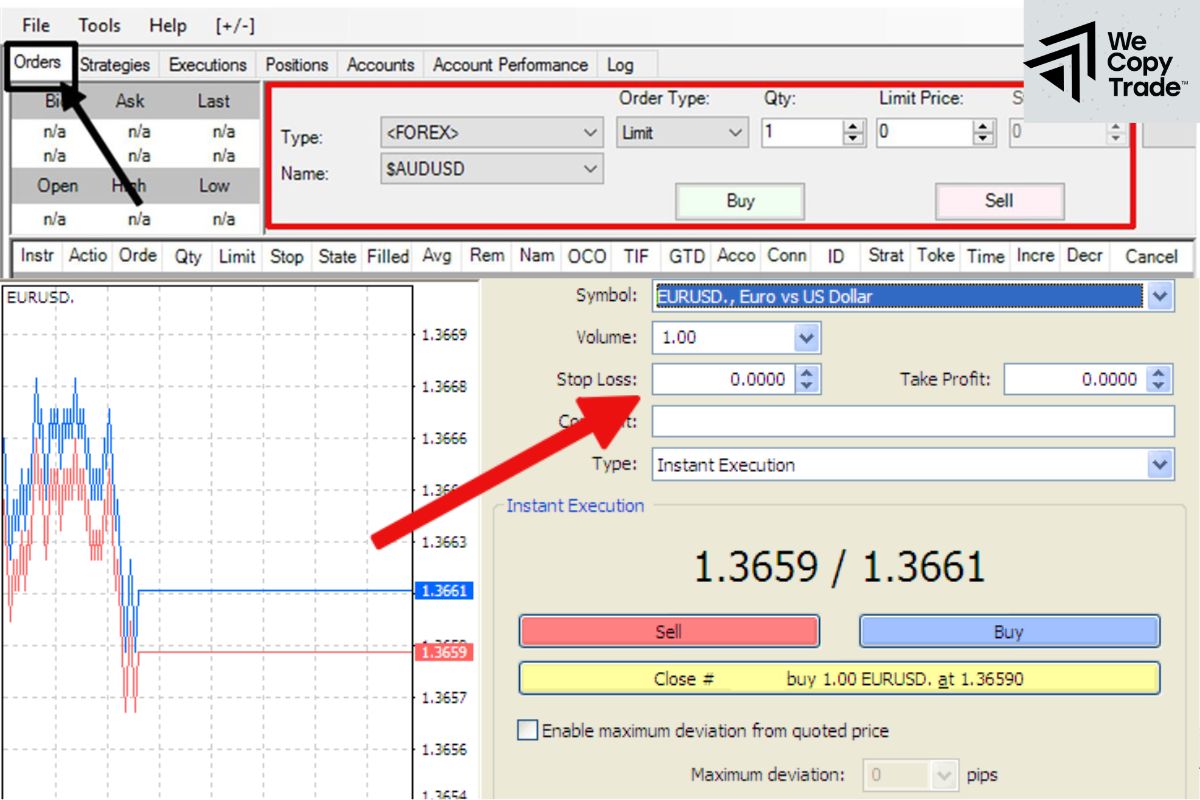
Review the information and confirm the order.
- If the market fluctuates, you can adjust the stop price to suit the new situation.
- If you want to cancel the order, simply find the order and select “Cancel”.
Conclusion
In conclusion, placing stop orders only helps you manage your risk better, but cannot completely eliminate the risk when trading. Therefore, to achieve the highest trading efficiency, always research and combine market analysis methods and consider carefully before making a trading decision.
See more: