














Have you ever wondered: “Why do famous traders on TradingView have thousands of followers?” The answer lies in the “Publish” button.
Sharing ideas on TradingView not only helps you build your personal brand, but it’s also a great way to train discipline. When you write out your trading plan for the whole world to see, you tend to stick to it more strictly.
This article will guide you step by step on how to publish trading ideas on TradingView in an SEO-friendly way, making them more likely to catch the editors’ attention (Editors’ Picks) and attract the community.
1. Why should you “Share ideas on TradingView”?
Before clicking the publish button, understand the benefits:
-
Public trading journal: TradingView stores every chart you publish. You can’t delete or change the past. This is solid proof of your capability.
-
Feedback from the community: By participating in the TradingView community, other traders will comment, give suggestions, or challenge your ideas, helping you spot blind spots in your analysis.
-
Career opportunities: Many investment funds (including WeMasterTrade) often scout for talent with a strong analysis history on TradingView.
2. The 4-step process to publish a “Million-View” idea
Step 1: Prepare a thorough analysis
Don’t post an empty chart. Clearly draw support/resistance zones and trendlines.
Pro tip: To add depth to your analysis, include indicators that measure market volatility. Using a forex volatility indicator helps readers understand that you’re not guessing—you’re calculating risk based on real volatility.
Step 2: Click the “Publish” button
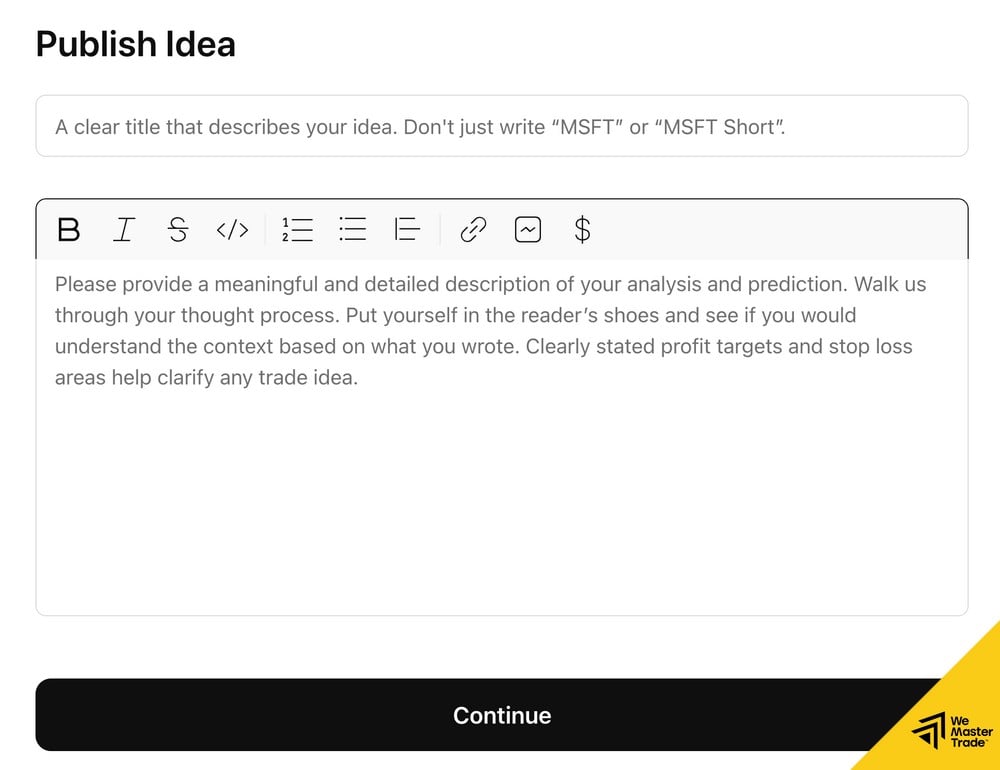
Look at the top-right corner of the screen, click the green Publish button → choose Publish Idea.
Step 3: Write the title and description (Most important)
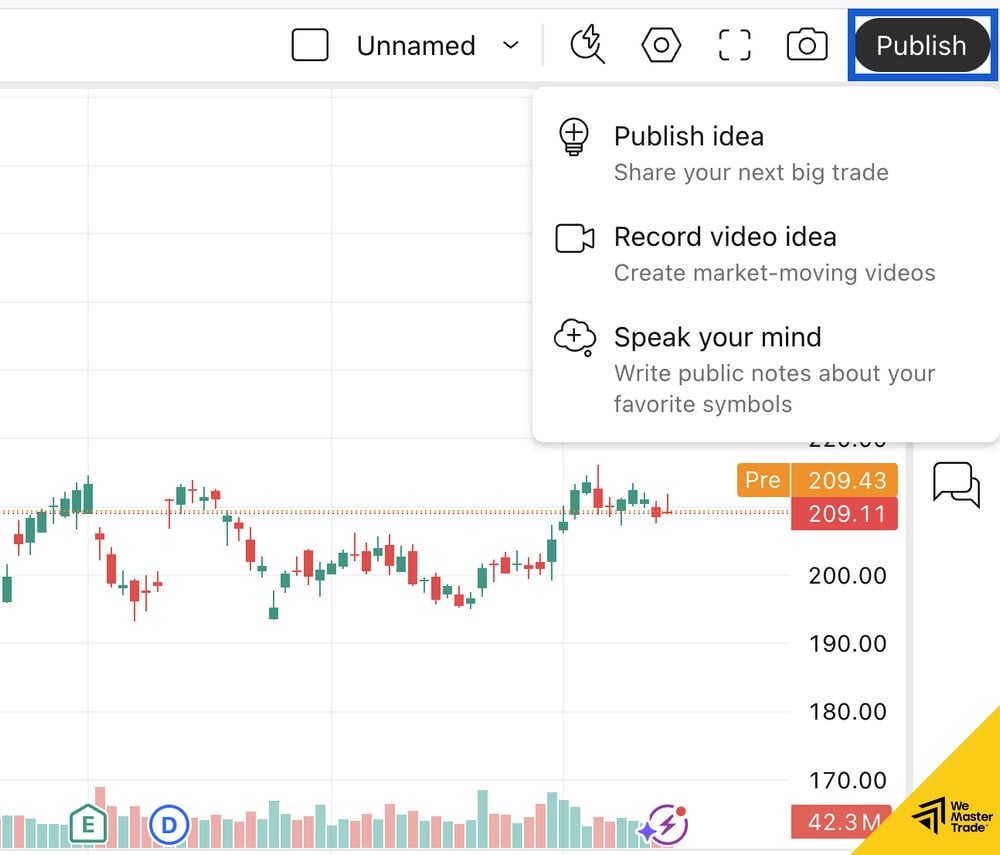
This is where you convince readers.
-
Title: Must include the asset name and direction (e.g., Gold (XAUUSD) – Short Opportunity at 2050 Resistance).
-
Description: Explain the logic—why are you entering the trade? What method are you using? Clearly state the TradingView strategy you apply (e.g., SMC, Wyckoff, or Elliott Wave) so readers can easily visualize it.
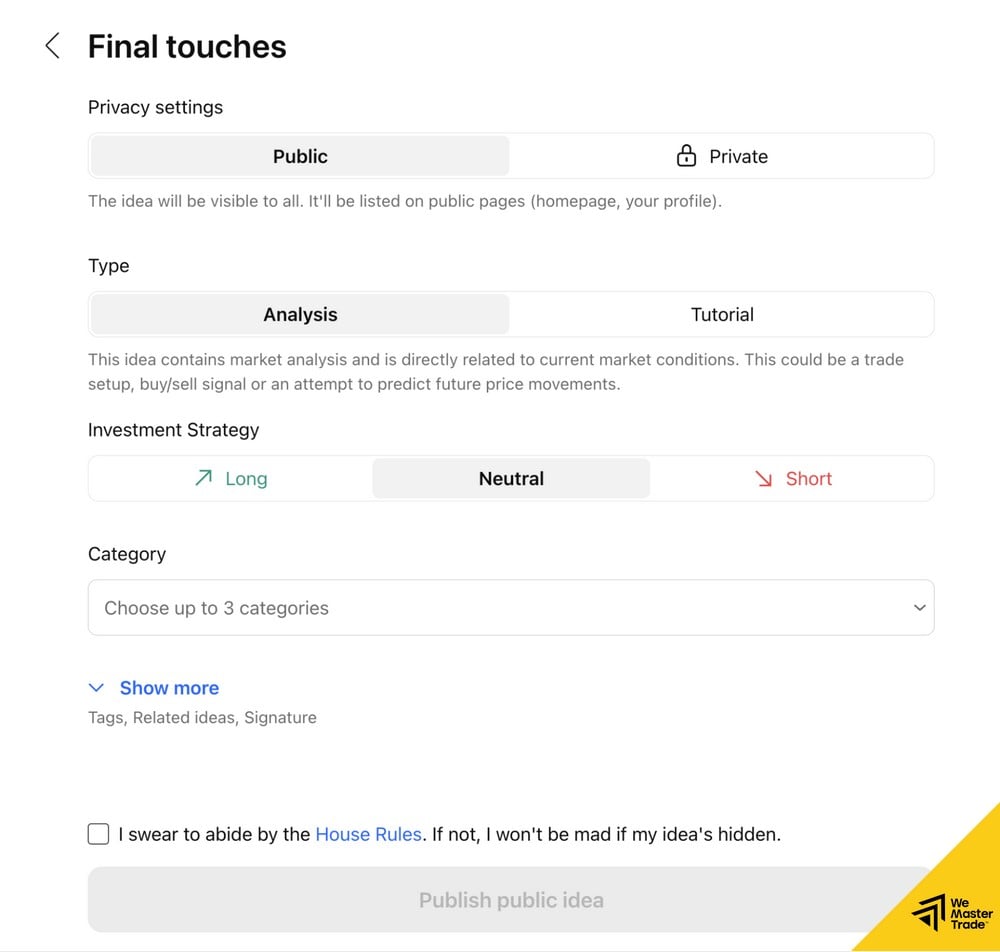
Step 4: Choose the idea type and tags
-
Analysis: If you’re forecasting price movement.
-
Tutorial: If you’re teaching how to use a tool.
-
Investment Strategy: Choose Long (Buy) or Short (Sell).
3. Secrets to getting “Editors’ Picks”
Being tagged as Editors’ Picks by TradingView is the highest honor, helping your post reach millions. The keys are:
-
Clean charts: Don’t clutter them with too many indicators.
-
Educational value: The post must deliver knowledge, not just a simple buy/sell “signal.”
-
English (Optional): Writing in English greatly increases your chances compared to Vietnamese.
4. From “Theoretical expert” to “Real-world trader”
You now know how to share ideas on TradingView and get plenty of likes. You’ve proven your analysis is right. But the more important question is: “Are you making money from those analyses?”
Many “Top Authors” on TradingView are great at drawing charts, but don’t dare to place real trades due to lack of capital or weak psychology.